What does SignalBox monitor today?
SignalBox monitors GitHub workflow runs, issues, pull requests, and Vercel deployments in one place.
Subscribe to exactly what matters. Use Dashboard, Explore, Kanban, and Reports to triage workflows, pull requests, issues, and deployments without inbox noise.

Auto-watching, auto-assignments, and deployment chatter bury the things you actually need to see.
GitHub auto-watches repos, auto-assigns reviews, and pushes every label change. Vercel deployment chatter adds another stream to keep up with.
Your end-to-end tests take 42 minutes. You context-switch, forget to check back, and miss when a deploy is blocked or a run already finished.
An important PR review or failed deployment gets buried under noisy updates. You miss it for hours and teammates stay blocked.
SignalBox centralizes GitHub and Vercel signals with subscription discovery, triage views, reports, and admin controls.
See unread signals as cards with live updates, filters, and one-click actions to pause, expire, or mark read.
dashboardBrowse orgs and repos, then subscribe by workflow, single run, regex pattern, issue, pull request, or Vercel deployment.
exploreDownload the Electron-powered macOS app for native push notifications, menu bar access, and a focused desktop experience.
desktopSignalBox is now available on the App Store for iPhone. Get native push notifications and triage signals on the go.
iosGitHub polling and Vercel webhook subscriptions are both supported so deploy and workflow updates land in one stream.
multi-sourceGroup events into In Progress, Done, and Expiring lanes so you can scan active work and clear noisy alerts quickly.
kanbanGenerate AI catch-up summaries and daily digest reports.
reportsSubmit ideas, vote on what matters, and comment on requests. Your feedback directly shapes what gets built next.
feedbackGlobal admins can manage users, settings, feature flags, push config, and scoped API keys for automation.
adminGet desktop and browser notifications the instant something changes. No inbox polling. No email delays. Just realtime alerts for the GitHub and Vercel events you chose to watch.
Notifications arrive within seconds of a workflow completing, a PR merging, an issue changing, or a deployment updating.
Only get notified when something breaks. Skip the noise of successful runs and healthy deploy updates entirely.
Set a do-not-disturb window so deploys at 2 AM don't wake you up.
The web app, Electron macOS desktop app, and iOS app are all available now.
Available today with Dashboard, Explore, Kanban, and Admin pages.
Free Electron DMG download with native push notifications and menu bar integration for Apple Silicon Macs.
Now on the App Store. Native push notifications and full triage on iPhone.
Get set up in minutes. Stay focused for hours.
Sign in and connect a fine-grained read-only PAT. Setup is quick and scoped to what you choose.
Pick workflows, runs, regex matches, issues, PRs, and optional Vercel deployment webhooks.
Work from Dashboard, Kanban, and Reports so you only look at the signals that matter right now.
These are real captures from the live product with fake repositories, workflows, and users.
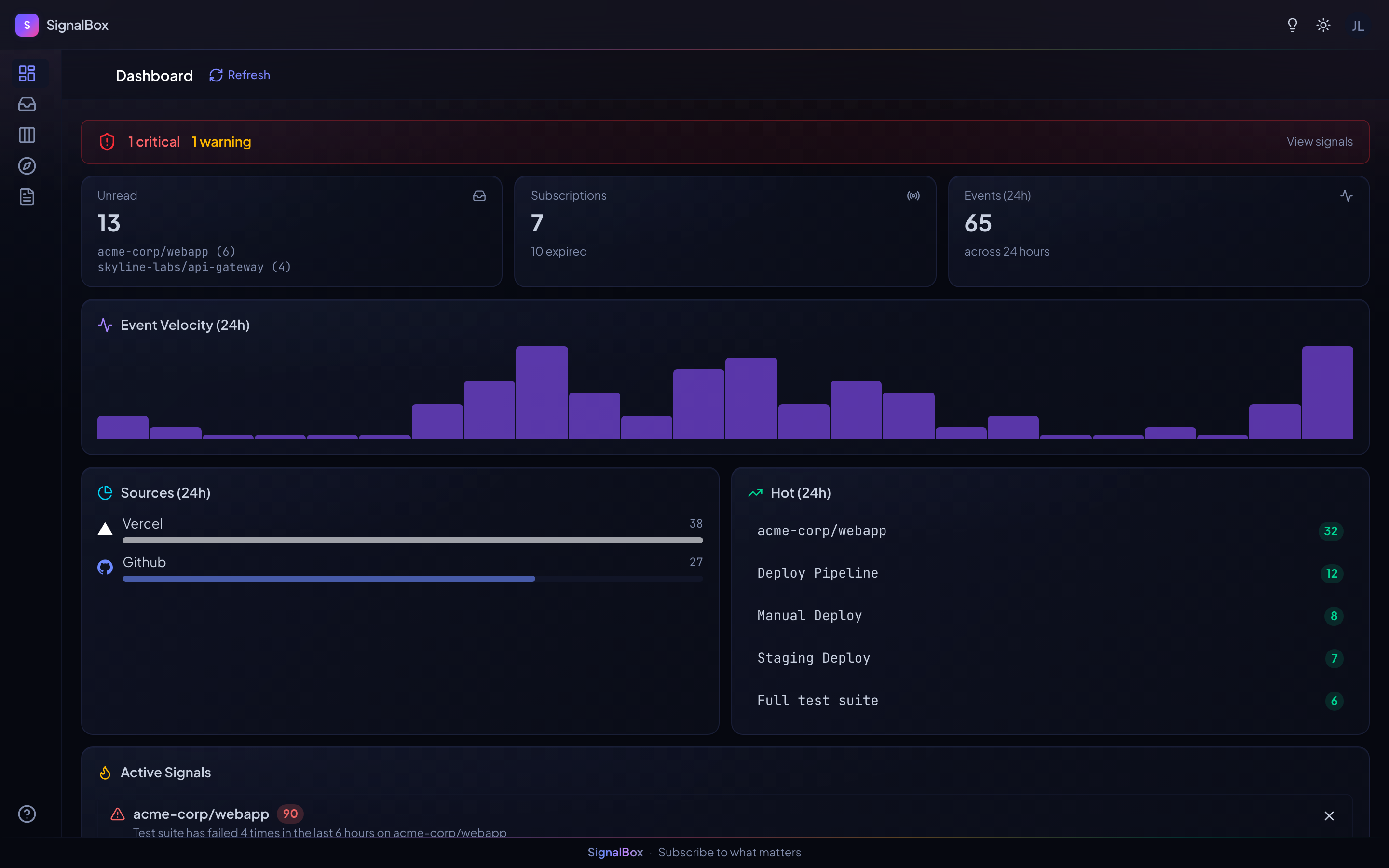
Live signal cards with unread badges, filters, and one-click triage actions.
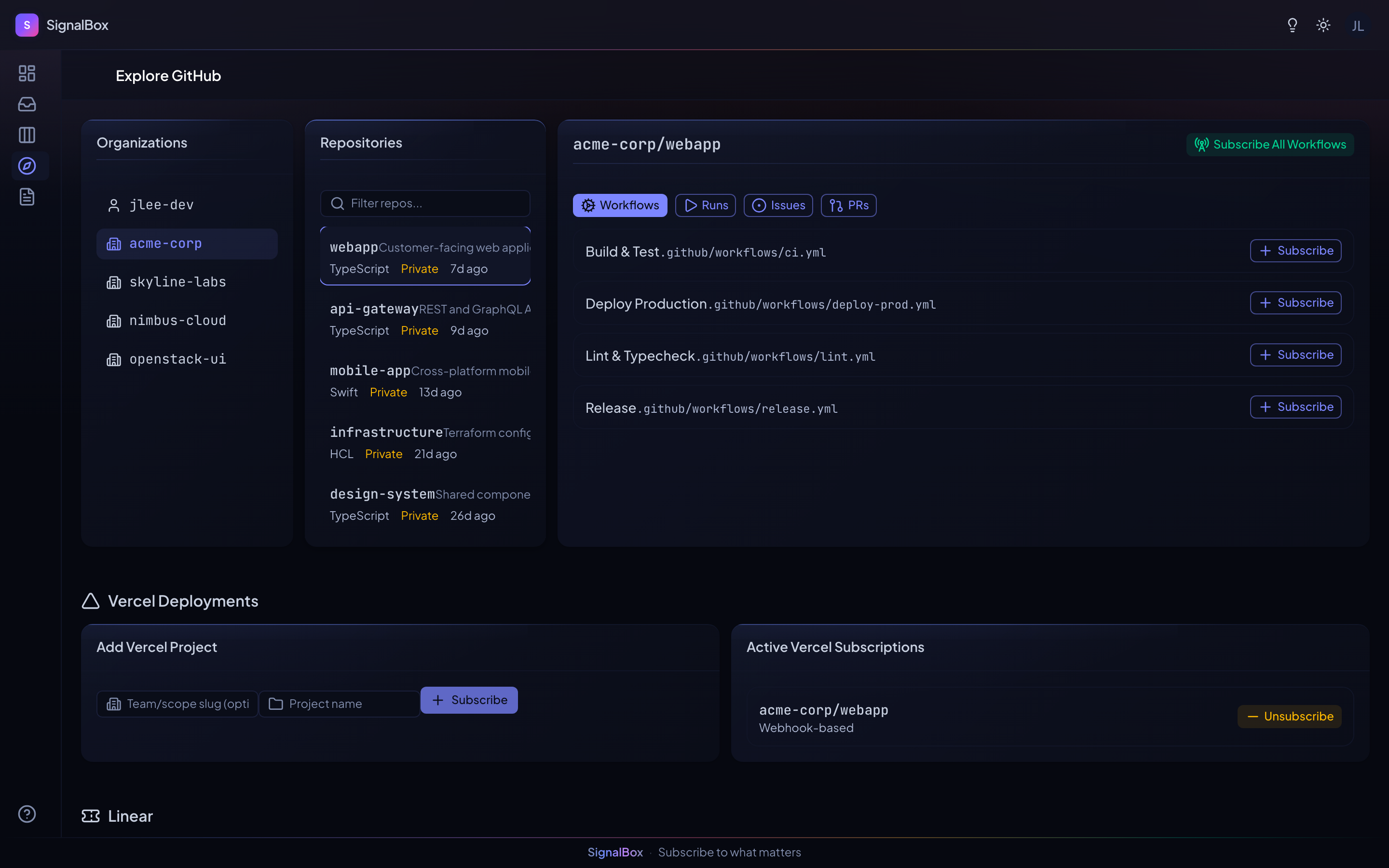
Browse repos and subscribe to workflows, issues, PRs, and Vercel deployments.
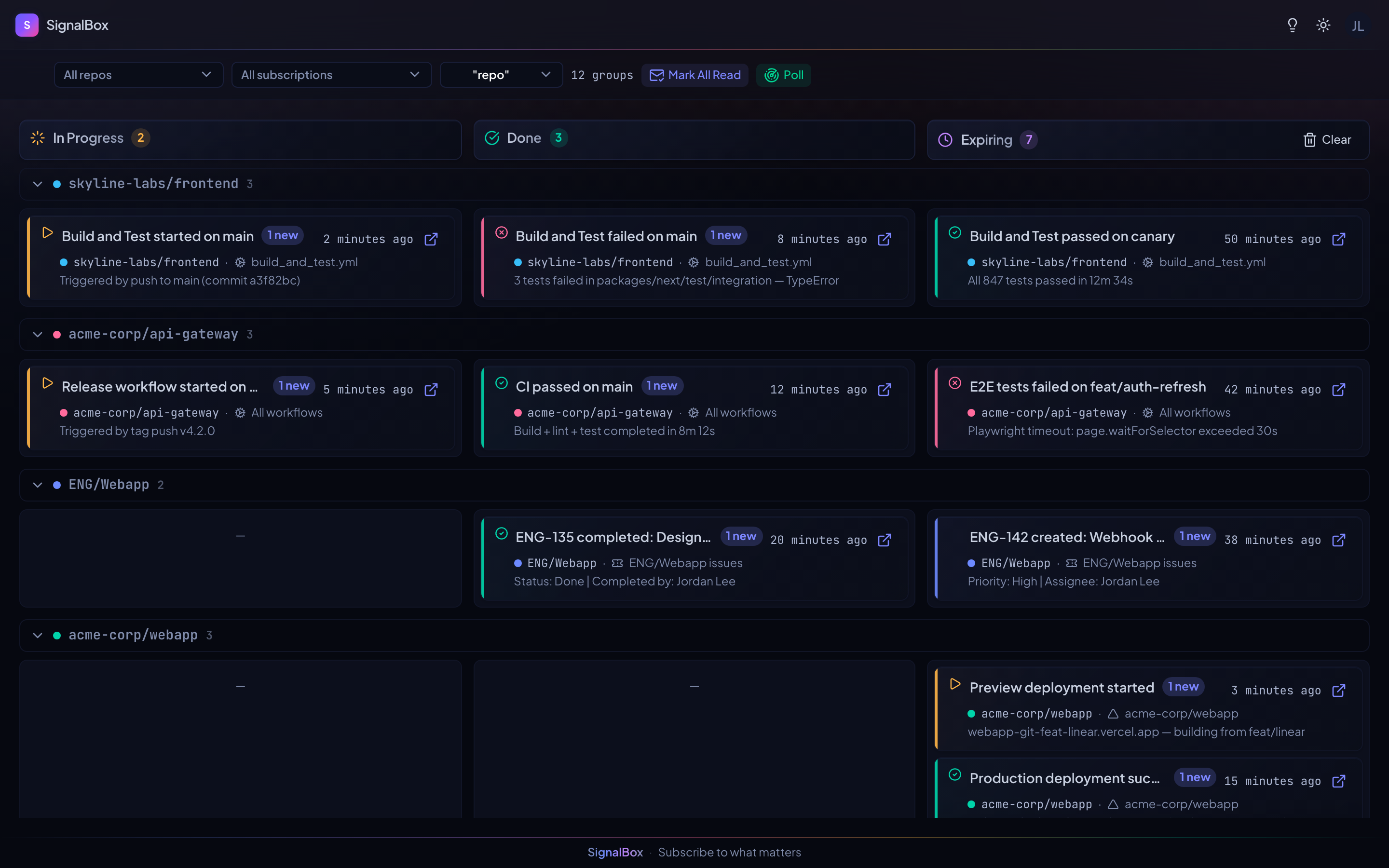
Drag events across In Progress, Done, and Expiring lanes.
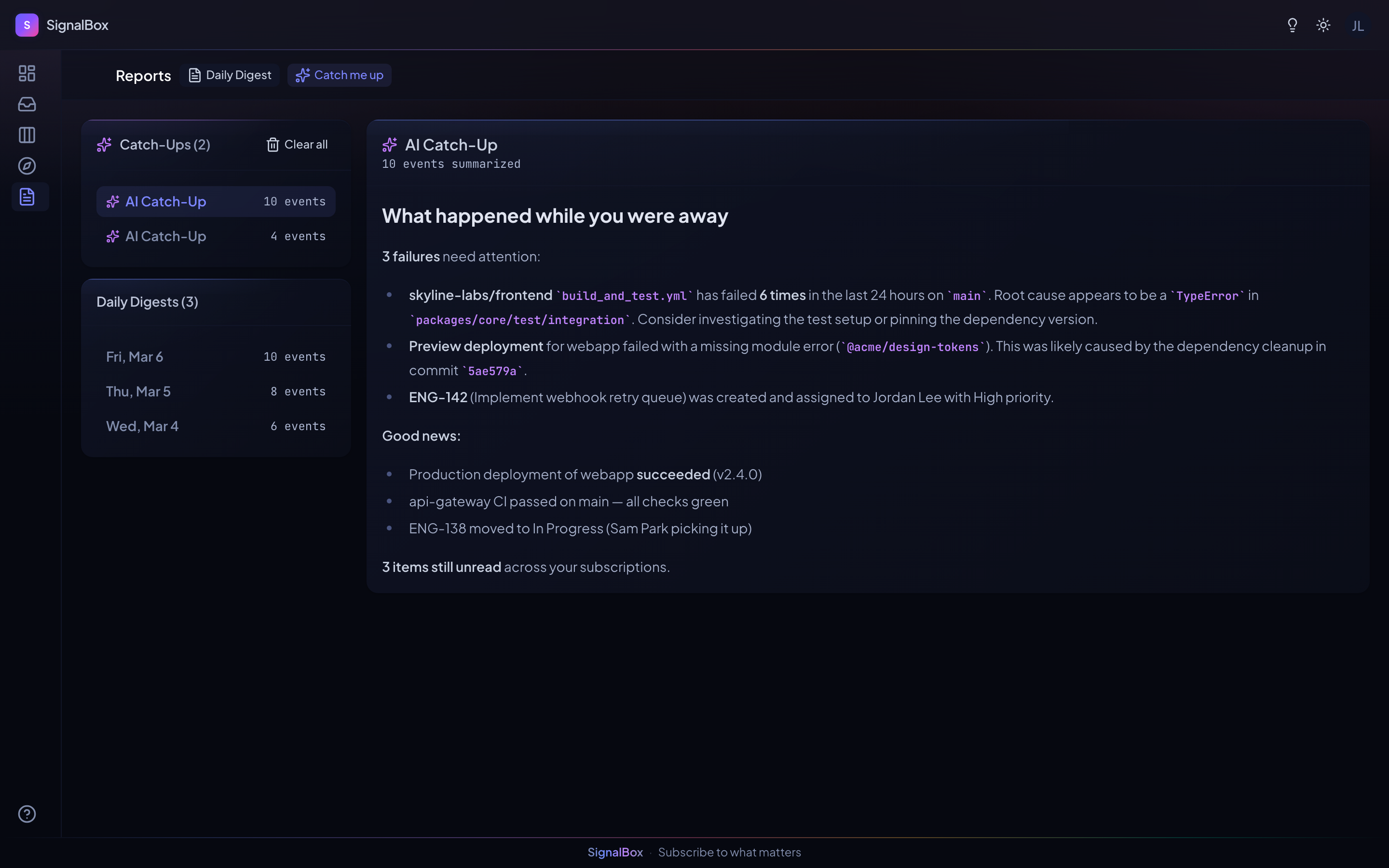
AI catch-up summaries and daily digest generation.
Available on web, macOS desktop, and iOS.
SignalBox monitors GitHub workflow runs, issues, pull requests, and Vercel deployments in one place.
Yes. The macOS desktop app is available as an Electron DMG download, and the iOS app is live on the App Store.
Yes. You can subscribe to all workflows, one workflow, a single run, or regex-matched runs, plus issue and PR targets.
Yes. SignalBox supports AI catch-ups and daily digests.
Use the Feedback page to submit feature requests, vote on ideas from other users, and leave comments. No login required to browse.
SignalBox tells you when GitHub and Vercel signals you care about change. Nothing more, nothing less.